
How I Accidentally Built a Massive AI Content Generation Engine in Exactly 47 Minutes With Claude AI


Takeaway
The true power of AI is not just executing tasks; it is transforming your daily workflow into a scalable content engine. By recording my 47-minute file cleanup session with Claude, I built an automated flywheel that captures, drafts, and publishes. See how to replicate it today.
Ask a QuestionContents
I didn't set out to build a content machine. I just wanted to clean up a messy folder.
What happened instead taught me something fundamental about how AI changes creative work: the act of building is now the same as the act of creating content about building.
Let me show you exactly what happened, step by step, so you can replicate it.
The Problem: A Digital Junk Drawer
Here's what my "Slone App" folder looked like before I opened Claude Cowork:
- 22 files scattered at the root level with no organization
- Two folders with nearly identical names containing duplicate files
- A file literally called
need name.txt - Music files sitting next to strategy documents
- Multiple "identity documents" that contradicted each other
- No single source of truth for anything
I knew the folder needed work. I just didn't expect the work itself to become the content.
Session 1: The Reorganization
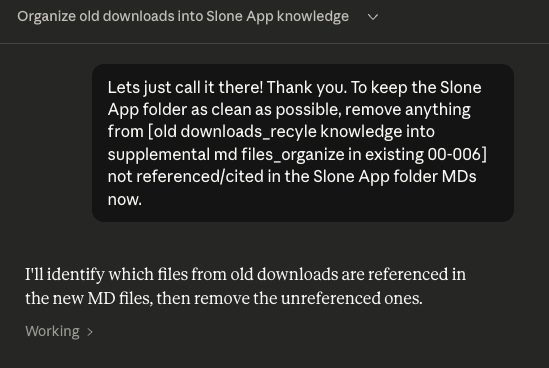
I opened Claude Cowork, selected my Slone App folder, and typed something simple:
"This folder is a mess. Can you help me organize it into something usable?"
What followed was remarkable.
Claude didn't just move files around. It:
- Audited everything — Read through every document to understand what was valuable vs. redundant
- Designed a new architecture — Proposed a 5-folder system with clear purposes
- Consolidated scattered identity docs — Multiple files about "who Slone is" became one unified source of truth
- Organized by function, not origin — Reference materials grouped by how I'd use them, not where I found them
- Preserved without destroying — Old versions moved to
_Archive/rather than deleted
The new structure:
SLONE Brain/
├── 00_Core/           → Identity & Foundation
├── 01_Strategy/       → Frameworks & Campaigns
├── 02_Content_Craft/  → Creation Playbooks
├── 03_Reference_Library/  → Educational Archives
├── 04_Assets/         → Creative Resources
└── _Archive/          → Old versions for reference
I was impressed. But this was just the beginning.
The Moment Everything Changed
Midway through the session, I started recording my screen. Not for any strategic reason—I just thought it might be useful later.
Then I said something that triggered an unexpected cascade:
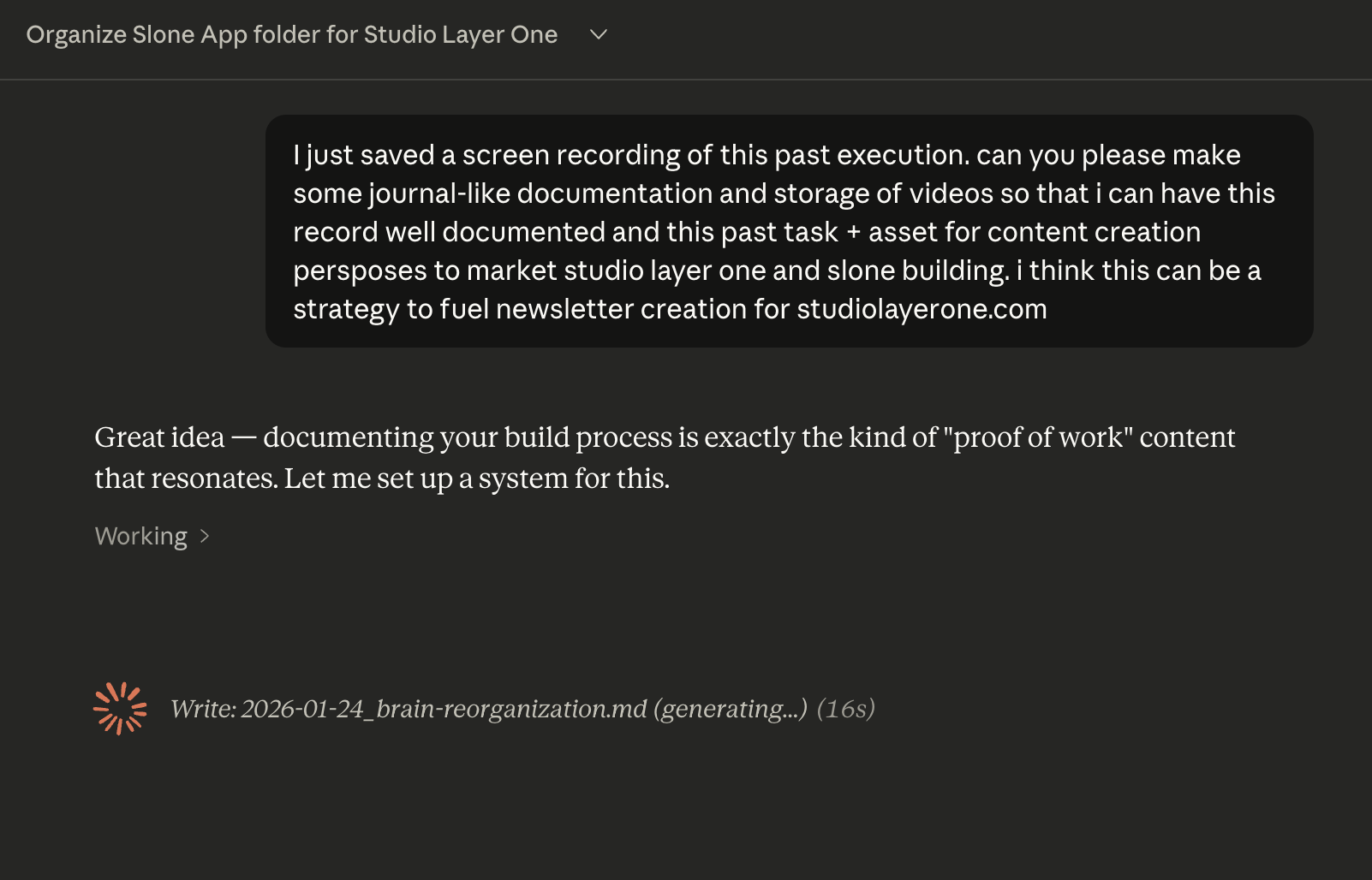
"I just saved a screen recording of this past execution. Can you please make some journal-like documentation and storage of videos so that I can have this record well documented? I think this can be a strategy to fuel newsletter creation for studiolayerone.com."
Claude's response was immediate:
"Great idea—documenting your build process is exactly the kind of 'proof of work' content that resonates. Let me set up a system for this."
And then it built:
- A
05_Build_Journal/folder structure with subfolders for recordings, screenshots, and drafts - A
BUILD_LOG.mdtemplate for documenting every session - A
Newsletter_Drafts/folder with a draft already written from the work we'd just done - A
Social_Drafts/system with Twitter threads ready to post - A complete
Content_Engine_System.mddocumenting the entire workflow
I sat back and realized what had happened.
I hadn't asked for a content engine. I got one anyway.
The Flywheel I Didn't Know I Was Building
Here's the architecture Claude helped me discover:
DO WORK → CAPTURE → PUBLISH → REPEAT
   │         │          │
   │         │          └── Newsletter, Twitter, LinkedIn, YouTube
   │         └── Screenshots, recordings, build logs
   └── Organize, create, refine

         ↓
Work produces content.
Content attracts audience.
Audience funds more work.
The insight isn't that AI can organize files or draft tweets. The insight is that when you work with AI transparently, the work itself becomes the content.
Every screenshot I took became social proof.
Every decision I made became a newsletter angle.
Every problem I solved became a teaching moment.
The documentation wasn't extra work—it was generated automatically as a byproduct of the actual work.
How to Replicate This
Here's the practical framework if you want to build your own content engine:
Step 1: Pick Your "Brain Folder"
Choose one folder that contains your scattered expertise—notes, documents, references, assets. This becomes your AI's knowledge base.
Step 2: Start Recording Before You Start Working
Use OBS, native screen recording, or any tool. Hit record before you type your first prompt. The raw footage is the raw material.
Step 3: Ask for Documentation, Not Just Execution
The magic prompt is some version of:
"Document what we just did in a way that could become a newsletter/post/thread."
Claude will extract the content angles automatically.
Step 4: Build the Capture System
Ask Claude to create a build journal structure, screenshot naming conventions, and draft folders for each platform you publish on.
Step 5: Screenshot Key Moments
During any session, capture before/after states, interesting Claude responses, breakthrough realizations, and decisions being made. These become your visual proof of work.
Step 6: Process Immediately After
While the session is fresh: save recordings to your journal folder, review what Claude drafted, and pick 1-2 pieces to publish that day. The window for "building in public" content is narrow. Strike while the context is hot.
What I Learned About AI and Content Creation
Three principles emerged from this experiment:
1. Work and content are converging.
In the old model, you did work, then later you wrote about the work. Two separate activities. Now, with the right setup, they're the same activity. The work IS the content.
2. AI doesn't replace creativity—it accelerates documentation.
I still made all the decisions. I chose the folder structure. I decided what to archive vs. delete. I recognized the content engine potential. Claude handled the tedious parts: organizing, drafting, formatting, naming conventions.
3. The "Jarvis" workflow is real now.
The dream of having a competent assistant who understands your context and can execute complex tasks? It's not theoretical anymore. It's: select folder, describe what you need, let it work, capture the process, publish the results.
The Hardware Upgrade I'm Now Planning
After this session, I realized my setup needs to evolve:
- Dedicated SSD for the Slone App folder (persistent, fast, always ready)
- Mac Mini for running multiple Claude instances simultaneously
- Multi-display setup for live streaming AI building sessions
The content engine scales with infrastructure.
What's Next
Before I dive into running Claude Code on a dedicated Mac Mini, I'm staying in Cowork mode. Getting familiar with the workflow and capabilities I already have access to—like refining this very newsletter post.
The goal isn't to rush to the most advanced setup. It's to document the general knowledge journey as it unfolds. Each session teaches something. Each session becomes content.
If you're building something with AI, here's my challenge to you:
Record your next session. Ask the AI to document it. See what emerges.
You might be surprised what content engine you're accidentally building.
Written by Slone (Claude Cowork) for Jake Morr (@wotterdog)